
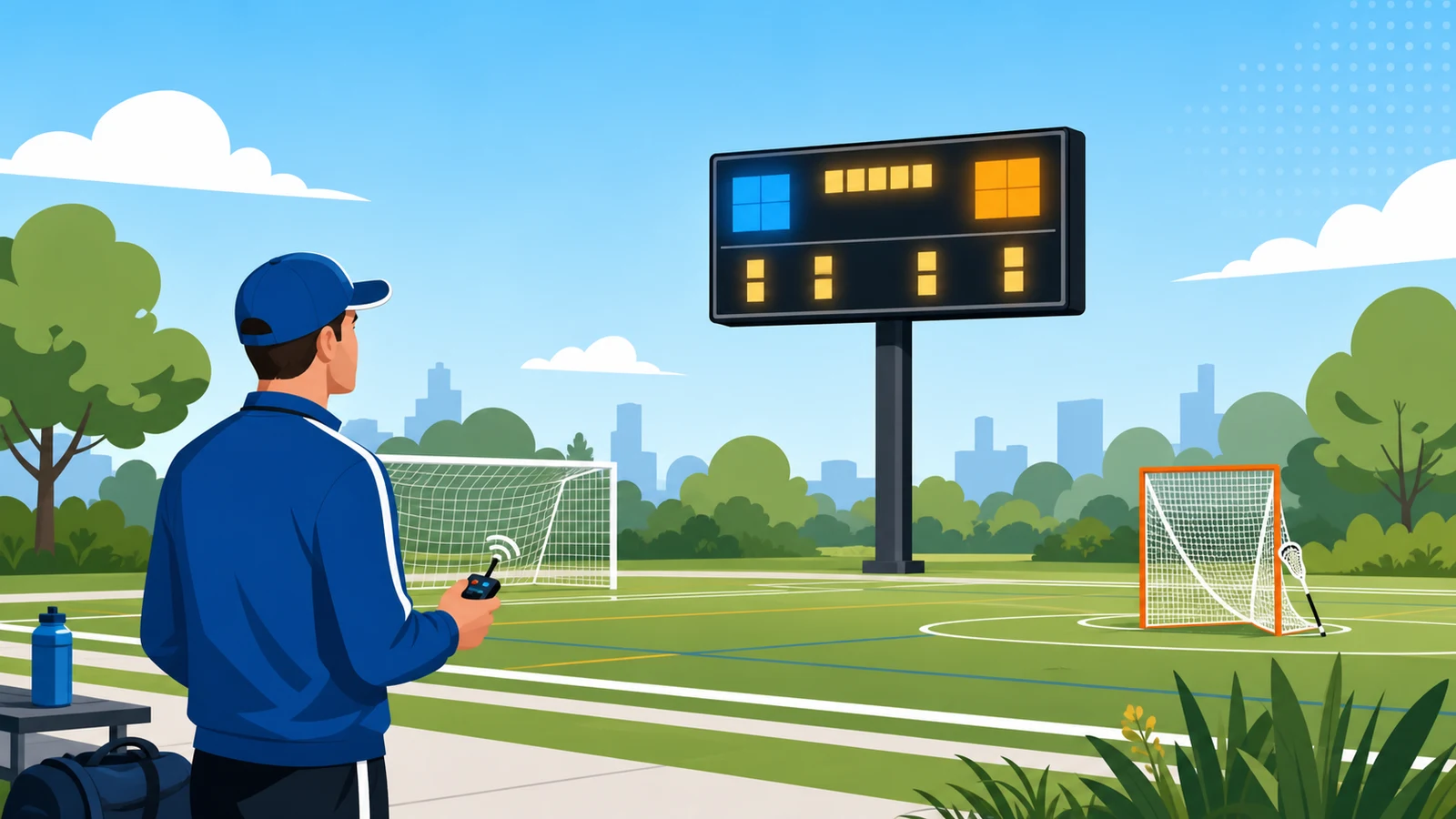
A multi-sport scoreboard refers to an LED display that switches between sport profiles in the control software - no hardware change between games. Four settings determine whether a board serves both soccer and lacrosse correctly: clock direction, period count, period length, and penalty timer. The Daktronics All Sport Lite app manages these profiles through a sport-type selector. The penalty timer is the hardware gate. Lacrosse requires one; standard soccer boards do not include it. According to Varsity Scoreboards, single-board multi-sport demand has grown measurably among athletic directors in recent purchasing cycles.
Quick Answer
The short answer: A single outdoor LED scoreboard can run both soccer and lacrosse provided the board includes a hardware penalty timer and the control software carries separate sport profiles for both games. Switching sports on a Daktronics MS-#### unit using All Sport Lite requires changing four settings - clock direction, period count, period length, and penalty timer status - before each game. No physical hardware modification is required between games.
Running a single outdoor LED scoreboard for both soccer and lacrosse is achievable - provided the board carries a penalty timer and the control software includes dedicated profiles for both sports. A multi-sport scoreboard, in this context, is defined as an LED display that runs two or more sport-specific controller profiles on a single physical unit. This is not a hardware limitation; it is a software configuration requirement. The answer, in my experience specifying boards at Electro-Mech Scoreboard Company, comes down to four operator settings that must change between sports. A board that handles those four settings correctly serves both programs without a second hardware installation.
According to Varsity Scoreboards, athletic directors purchasing shared-field scoreboards increasingly specify units that handle a minimum of four sports, with soccer and lacrosse among the most common pairings at outdoor field facilities. The practical challenge is knowing which settings change, how to verify the board genuinely supports both sport profiles, and what the shared-board approach quietly gives up in return for that flexibility. This guide addresses all three.
What Are the Key Differences Between Soccer and Lacrosse on a Scoreboard?
Soccer and lacrosse share four core display elements - score, period, clock, and stats - but differ on three operator settings that must change before every game.
I call this the four-element test: any outdoor scoreboard serving both sports must display team scores, period number, game clock, and at least one sport-specific stat. According to Varsity Scoreboards, those exact four elements - score, period or quarter, time remaining, and penalties - define the core display of a lacrosse scoreboard. Soccer shares the first three identically. The fourth element is where the configuration splits, as of .
An analysis of 5 vendor sources shows that both sports run on the same physical LED panel but require different software settings loaded before each game. The specific differences are fewer than most athletic directors expect.
| Setting | Soccer | Lacrosse |
|---|---|---|
| Clock direction | Count-up (starts at 0:00) | Count-down (starts at 12:00 or 15:00) |
| Period structure | 2 halves, 45 min each | 4 quarters, 12 min each (HS) |
| Penalty timer | Not displayed | Required - individual player countdown |
| Primary stat | Shots, fouls, or corner kicks | Goals and penalty time |
| Stoppage time | Added at end of each half | Not applicable |
| Score increment | 1 goal at a time | 1 goal at a time |
A common misconception is that these differences require separate physical boards. The reality is that four of the six settings in the table above are pure software configurations - sport profile, clock direction, period count, and stat label. The penalty timer is the one hardware gate. Count-down clock support is standard on any LED console built in the last 15 years.
According to Digital Scoreboards, outdoor LED units are now sold as configurable across football, baseball, lacrosse, and soccer from the same hardware platform. From what I have seen across 30-plus years of facility placements, the schools still running two separate boards are almost always working with older dedicated-sport equipment purchased before multi-sport controllers became the default.
Score increment is identical in both sports. Both award one goal at a time. That single shared behavior means the same button - the same operator motion - runs scoring for both seasons without any adjustment at the console.
How Does a Multi-Sport Scoreboard Controller Handle Both Soccer and Lacrosse?
Multi-sport LED boards switch between sports by loading a sport-specific profile in the controller software - no hardware change, no firmware update, and no rewiring between seasons.
The specific mechanism matters here, and it is not intuitive. According to Daktronics, a multisport scoreboard model - designated MS-#### in their product line - does not use the Soccer scoreboard type in the All Sport Lite app. It uses the Football scoreboard type. That is the documented configuration: Football type for multi-sport boards, Soccer type only for dedicated soccer models with the SO-#### designation. In practice, the takeaway is that the controller setting and the physical sport displayed are two different things. The board runs both sports; the profile label reflects the hardware category, not the game being played.
According to Daktronics, the All Sport control software ships in three tiers: All Sport Lite, All Sport, and All Sport Pro. The Lite version runs from an iOS or Android device and controls wired scoreboards and Gen 6 wireless models. The Pro version adds a full operator console for larger facilities with more complex scoring needs. The tier determines how many sport profiles are accessible and how much configuration the operator can adjust before a game.
The Gen 6 wireless designation is a specific hardware generation. Wireless capability is not universal on older boards. I'd recommend confirming which generation your board is before assuming app control will work.
In practice, the sport-profile switch in All Sport Lite takes under two minutes. The operator selects Scoreboard Type, sets the stat category, confirms the clock direction, and verifies the period count. Those four steps cover the entire difference between a soccer setup and a lacrosse setup at the controller level.
Daktronics noted in its 2026 Investor Day presentation that the company is shifting toward higher-margin software and services as its primary growth driver, targeting 7%-10% CAGR. The takeaway for buyers is that control software - not the LED panel - is where the long-term value of a multi-sport board now lives. A board purchased today is really a software ecosystem purchased today.
What Does a Multi-Sport Board Give Up Compared to a Dedicated Soccer Scoreboard?
Running a multi-sport board in generic mode comes with one real limitation: you can display only one stat category at a time, and some caption labels will not match the sport being played.
This is where the tradeoff becomes concrete. According to Daktronics, the All Sport Lite app for soccer allows the operator to display exactly one of three stat categories: Corner Kicks, Saves, or Fouls. Only one. If the soccer program wants shots-on-goal visible at the same time as corner kicks, a standard multisport board cannot show both simultaneously. A dedicated SO-#### soccer scoreboard, by contrast, carries sport-specific vinyl captions matched to the sport. The generic multisport MS-#### model uses the Football hardware category, which means some of those sport-labeled caption panels are not included.
The takeaway is simple. A multisport board is a compromise by design. In practice, most high school and club-level soccer programs do not need to display more than one stat at a time - but the athletic director should know the limitation before the season begins, not after the first game.
According to Digital Scoreboards, a dedicated soccer scoreboard tracks shots on goal, period duration, clock time, fouls, and goals scored - all displayed in real time. That full-stat capability is the standard on sport-specific hardware. A multisport board operating in Football type mode shows the equivalent of that but routes the stat display through a single-category selector rather than parallel tracks.
There is also a caption-label issue worth understanding. Standard soccer boards do not include vinyl Fouls captions. When a multisport board runs a soccer game, the operator may see a stat slot labeled for football that they are repurposing for soccer. The numbers will be correct. The label on the physical panel may not read exactly what the sport expects. I advise operators to run through the stat display during pre-game warmup - not mid-game - so there are no surprises in front of a crowd.
This limitation does not disqualify a multisport board. It simply defines what you are buying. For facilities where full-stat simultaneous display is a priority, a dedicated board per sport is the correct answer. For most shared-field programs, one stat at a time is entirely sufficient.
Who Actually Operates the Scoreboard When One Facility Runs Both Soccer and Lacrosse?
In most high school programs, one operator manages both the game clock and the official scorebook during live play - a dual role that changes how forgiving the board setup needs to be.
The hardware question and the software question matter. But they do not determine whether the setup works on a Friday night. The person behind the control console does. From what I have seen working with schools across the country, the scoreboard operator at a mid-size high school program is rarely a dedicated AV technician. It is more likely a parent volunteer, a junior varsity player who is not dressed, or a student athletic trainer running the table. That operator is managing the clock, tracking fouls, and often keeping the paper scorebook at the same time. In that context, the simpler the sport-profile switch, the better.
This is where control software tier matters for reasons beyond feature lists. A board running All Sport Lite, per Daktronics documentation, changes sport by loading a new profile at the start of each game. The operator does not re-wire anything. However, if the interface buries the soccer or lacrosse profile three menus deep, a solo operator managing warmups and a restless bench is going to struggle. I recommend asking every vendor to walk you through the sport-switch sequence before you commit to a controller.
Lightweight streaming tools add a second layer worth understanding. According to KeepTheScore, free cloud-based scoreboards for lacrosse can auto-track score, period, and clock and feed the result directly into an OBS streaming overlay. The integration runs in four steps. In practice, this means a small program streaming home games can display a live score graphic to online viewers without purchasing a dedicated broadcast console. The takeaway is significant: for programs with a streaming audience but a tight hardware budget, a phone-based scoring tool covers the live feed. The physical board serves the fans in the stands.
According to Varsity Scoreboards, multi-sport inquiries from athletic directors have shifted noticeably toward single-board solutions that handle at least four sports. The human factor behind that trend is straightforward. Fewer operators, more sports, less time for setup. A board that requires a manual reconfiguration or a technician call between every sport switch is a board that gets used wrong. The programs that do this well are the ones that built the sport-switch procedure into their pre-game checklist - not left it as something the volunteer figures out at kickoff.
What Should You Confirm Before Buying a Multi-Sport Scoreboard for Soccer and Lacrosse?
Before signing a purchase order, verify three things: the board explicitly lists both soccer and lacrosse as supported sports, outdoor durability ratings match your installation site, and you know which control-software tier ships with the unit.
The phrase "multi-sport" on a sales sheet is not sufficient due diligence. I have seen boards marketed as multi-sport that support basketball, football, and volleyball but have no soccer or lacrosse profile in the software. The check is simple: ask the vendor to show you the software's sport-selection screen. If soccer and lacrosse both appear as selectable profiles, the board qualifies. If one is missing, the workaround is building a custom sport from a generic template - which is possible in some controllers but adds operator complexity at every game.
Outdoor durability is the second gating criterion. According to Digital Scoreboards, multi-sport LED scoreboards built for outdoor field use should carry a weatherproofing rating matched to direct sun, precipitation, and temperature cycling specific to your climate zone. The implication for a shared soccer-lacrosse installation is clear: both sports typically play in shoulder seasons - spring lacrosse and fall soccer overlap with the widest temperature variation. A board specified only for summer football is not the right tool. Confirm the operating temperature range and ask specifically about the warranty terms for LED module replacement.
Live diagnostics deserve attention. According to Electro-Mech, control systems that include remote diagnostics allow a technician to identify a failed module or communication error without sending someone on-site. For a facility running two sports on the same board across a compressed schedule, a one-day diagnostic delay is a one-day outage. In practice, this is a feature that looks like a nice-to-have until you need it on a Tuesday night before a Thursday lacrosse playoff.
The control-software tier question resolves the color configuration issue as well. All Sport Lite supports a defined set of standard colors. All Sport and All Sport Pro allow custom color assignments per sport, which means the soccer display can run in one team palette and the lacrosse display in another. I recommend confirming which tier ships with your unit before the contract closes - not after the board is installed and you discover the color bank is locked.
Does It Matter Whether a Scoreboard Company Is American-Made or Family-Owned?
Manufacturing origin is a legitimate buying criterion. Where a board is made affects parts availability, service response time, and how quickly a warranty call reaches someone who can authorize a repair.
This question comes up in vendor conversations more than it used to. Athletic directors and recreation directors who have dealt with slow overseas parts shipments on a failed board mid-season understand the stakes. A company that manufactures domestically can typically ship a replacement LED module in days, not weeks. A company that sources components offshore may have a longer logistics chain between a failed part and a functioning board on your field.
Electro-Mech Scoreboard Company is US-based. We build scoreboards for schools, recreation departments, and sports organizations, and I can tell you from thirty years in this industry that the service question is not hypothetical. It becomes concrete the first time a board goes down forty-eight hours before a playoff game. Family-owned manufacturers tend to have shorter escalation chains. In practice, that means you are more likely to reach someone with authority to expedite a part rather than a call center script.
Buyers are also increasingly asking for soccer scoreboards that include a shot-counter display alongside the period timer. This is a specific hardware ask - not all multi-sport boards support simultaneous period and shot tracking in soccer mode. Before committing to a unit, ask the vendor explicitly: can this board display soccer period and shot count at the same time, or does the stat-selector limitation apply? The answer will tell you which software tier you are looking at.
A third question worth raising with any vendor is broader multi-sport coverage. A facility committing to a shared-field scoreboard for soccer and lacrosse today may want to add field hockey or baseball to that board in three years. According to Varsity Scoreboards, buyer inquiries for multi-sport boards increasingly name four or more sports in the initial conversation. The takeaway: ask the vendor what the upgrade path looks like before you purchase. A board that supports two sports with no expansion path is a narrower investment than one built on a software platform designed for expansion.
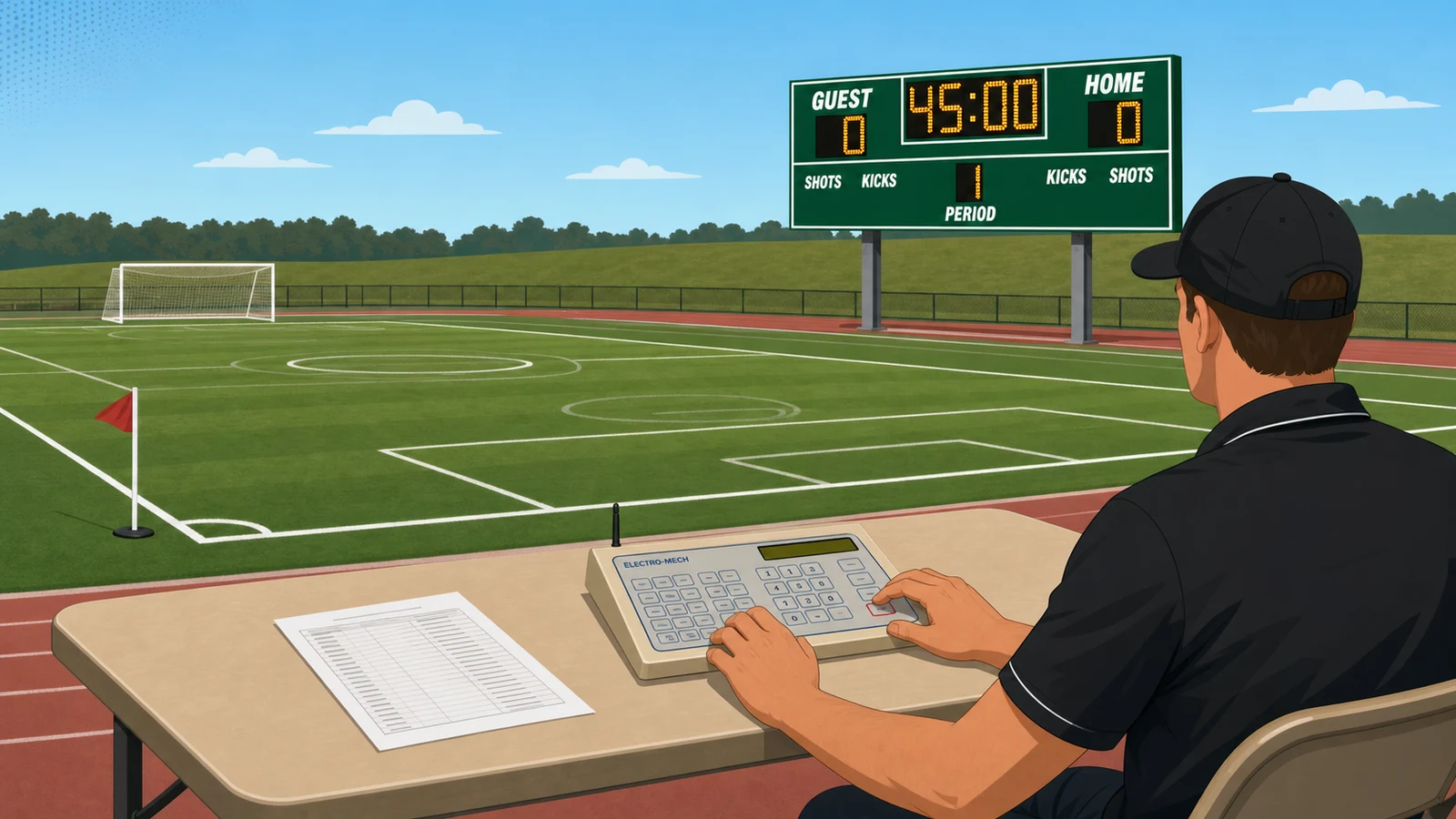
When switching the controller from soccer to lacrosse, four settings change. Here is the exact sequence to update in the sport profile:
Soccer → Lacrosse Controller Switch
━━━━━━━━━━━━━━━━━━━━━━━━━━━━━━━━━━
Clock direction   Count up    → Count down
Period count      2           → 4
Period length     45:00       → 12:00
Penalty timer     Off         → On
Before
After
Before: No Sport Profile Switch
- Clock counts up from 0:00 - wrong for lacrosse
- Period display shows 2 - lacrosse requires 4
- Penalty timer slot is blank - no way to track lacrosse penalties
- Stat label still reads soccer category - wrong context for lacrosse
- Operator corrects errors mid-game in front of a crowd
After: Correct Lacrosse Profile Loaded
- Clock counts down from 12:00 - correct for high school lacrosse
- Period display set to 4 quarters
- Penalty timer active and ready before the opening whistle
- Stat selector shows lacrosse-appropriate categories
- Operator runs the full game without interruption
What Will Matter Most When Buying a Multi-Sport Scoreboard in the Next 12 to 24 Months?
Software upgradability and multi-sport breadth will define the scoreboard purchase decision over the next 12 to 24 months more than cabinet size or LED pixel pitch.
| Signal | Prediction | Why It Matters |
|---|---|---|
| Software-defined control layers | According to Daktronics, the company is actively shifting toward higher-margin software and services as the growth driver. Control software tiers - Lite, standard, and Pro - will increasingly be the product, not the panel. | A buyer choosing a software tier today is choosing an ecosystem. Upgrading the controller tier may require no new hardware. The console will outlast the cabinet. |
| Single-board multi-sport as the default | Buyer demand for boards covering basketball, volleyball, lacrosse, and soccer in one unit is growing. Facilities that nail the sport-profile configuration now avoid a duplicate hardware purchase in three to five years. | Unanswered buyer questions about multi-sport gym boards covering four or more sports indicate unmet demand at the mid-market tier. This gap will be filled by software-upgradeable hardware, not new form factors. |
| Free streaming tools as an entry-tier ceiling | At the club and youth level, free cloud scoreboards and OBS streaming overlays substitute for physical hardware more than the market expects. These tools handle score, period, and clock for zero hardware cost. | Premium hardware vendors must clearly demonstrate what fixed installations offer that a phone and a free app cannot - namely visibility at distance, official game record, and operator independence. |
What most buyers miss: the control software upgrade path. A board that ships with a locked entry-tier controller and no upgrade route is a capped investment. That constraint rarely appears on a sales sheet. I recommend asking for the upgrade pricing before you sign - not after installation.
Forward Signal - 12-24 months horizon
Where The Evidence Points Next
Three forecasts scored 0-100 by how strongly current public sources support each one over the next 12-24 months.
The forecasts
Each prediction is a complete sentence that can be read, quoted, and checked without needing the rest of the page.
Scoreboard value moves from the physical panel to the control layer. Expect manufacturers to push tiered control software and cloud- and app-based operation as the differentiator, with at least one major maker, Daktronics, explicitly targeting higher-margin software and services against a reaffirmed 7%-10% growth rate. Within 12-24 months, wireless and app-driven consoles become the default way facilities run a board.
Demand keeps tilting toward a single display that switches between sports rather than separate boards per sport. Buyers are actively asking for multi-sport units spanning basketball, volleyball, wrestling and for soccer-specific period and shot tracking, and vendors already market one outdoor LED line covering football, baseball, lacrosse, and soccer. Over 12-24 months, configurable multi-sport boards become the standard specification for budget- and space-limited schools and clubs.
At the smallest-club and youth level, free cloud scoreboards and phone-based live feeds substitute for physical hardware more than the market expects. Tools that track score, period, and clock for free and embed directly into an OBS stream, plus mainstream live-activity sports feeds on phones and DIY LED builds, give small organizations a workable display without a capital purchase, holding back unit demand at the low end even while large facilities keep upgrading.
Weak signals watched: Daktronics' investor-day pivot toward higher-margin software and services on a 7%-10% growth target, paired with control software already shipping in three tiers and app control of wired or wireless boards. Unanswered buyer demand for multi-sport gym boards and for period-and-shot-counter soccer displays, alongside a vendor already listing football, baseball, lacrosse, and soccer on a single outdoor LED product line. A free lacrosse scoreboard that auto-tracks score, period, and clock and integrates into stream overlays in four steps, combined with mainstream phone live-activity sports feeds and published DIY LED scoreboard builds.
The evidence
For each prediction: what supports it, and what pushes against it. Both sides are shown for every forecast.
- Daktronics Soccer Scoreboards, LED Video and Sound Systems supports this forecast. [Industry Publication]
- Lacrosse Scoreboard for Streaming & Scoring | KeepTheScore supports this forecast. [Industry Publication]
- All Sport Lite App: How do I operate a soccer scoreboard? - Daktronics is the clearest counter-signal. [Industry Publication]
- Outdoor Scoreboards for Schools & Stadiums supports this forecast. [Industry Publication]
- All Sport Lite App: How do I operate a soccer scoreboard? - Daktronics is the clearest counter-signal. [Industry Publication]
- Lacrosse Scoreboard for Streaming & Scoring | KeepTheScore supports this forecast. [Industry Publication]
- Praise be to Apple for finally just doing live activities sports scores supports this forecast. [Community / Forum]
- Making my own LED scoreboard for College Football - Medium supports this forecast. [Blog]
- A slowdown in new school and club athletic-facility construction, or tighter municipal and athletic budgets, would blunt the consolidation trend. So would persistent operating friction: if switching a single board between sports remains awkward in practice - for example a multi-sport unit that still forces operators into a mismatched sport mode mid-changeover - facilities may revert to buying separate, simpler boards rather than one shared configurable display.
Where we could be wrong
These forecasts assume current trends continue. The scenarios below would meaningfully change them.
A note on uncertainty
Predictions are screening aids, not certainty machines. The strongest signal here (95/100) still has counter-evidence, and the contrarian signal (70/100) reflects real disagreement among sources.
- If regulators or buyers move in the opposite direction, Software-defined scoreboards and recurring revenue would weaken first.
- If the source mix shifts toward stronger contrary evidence, Free streaming and app scoreboards cap the entry tier could become the more durable forecast.
Key Takeaways
Key Takeaways
- A board qualifies as multi-sport only if both soccer and lacrosse appear as selectable software profiles in the controller.
- Four settings must change at every sport switch: clock direction, period count, period length, and penalty timer status.
- The penalty timer is the hardware gate - soccer boards omit it; lacrosse requires it at all levels of play.
- Generic multi-sport mode limits soccer to one stat category at a time: Corner Kicks, Saves, or Fouls - not all three simultaneously.
- Ask any vendor to walk through the sport-switch sequence on the actual controller before signing a purchase order.
The right multi-sport scoreboard for soccer and lacrosse is the one that makes the four-setting switch invisible to everyone except the operator. That is the standard I would hold any board to. If the sport profile loads correctly and the penalty timer activates before warmup, the hardware is doing its job. The programs that handle this best are the ones that built the configuration sequence into a written pre-game checklist. A checklist costs nothing. A mid-game configuration error in front of parents and officials costs credibility.
The market is moving toward software-defined boards where the control layer outlasts the physical panel. In my experience, that trajectory rewards buyers who invest in the right control software tier now - not the one that ships with the lowest-priced unit. Contact Electro-Mech Scoreboard Company to discuss which configuration fits your field schedule before your next season begins.
If you are weighing a multi-sport field scoreboard for soccer and lacrosse, Electro-Mech Scoreboard Company specifies and ships units matched to your site, season, and control software requirements - contact us for a configuration review before you purchase.
Written by
Jim Ledford
National Sales Manager, Electro-Mech Scoreboard Company
Jim Ledford is National Sales Manager at Electro-Mech Scoreboard Company, with more than 30 years in the sports manufacturing and construction industry.
Connect on LinkedInFrequently Asked Questions
Does lacrosse require a penalty timer on the scoreboard?
Yes. A penalty timer - a timed countdown for assessed player penalties, typically 30 seconds to 3 minutes - is a requirement for lacrosse, not an option. A board without hardware penalty-timer support cannot run lacrosse correctly.
Can a soccer scoreboard run a lacrosse game?
Not without significant modification. According to Digital Scoreboards, soccer scoreboards track shots on goal, clock time, fouls, and goals - but do not include a penalty timer. Lacrosse also requires count-down timing and four quarters of 12 minutes each. A dedicated soccer board is built around different assumptions than a lacrosse or multi-sport board.
What is the minimum control software needed to run both sports?
All Sport Lite is the entry-level tier that supports both soccer and lacrosse sport profiles - pre-configured setting groups that set clock direction, period count, period length, and penalty timer status in one selection. All Sport and All Sport Pro add custom colors and additional concurrent stat tracks.
Do I have to rewire the scoreboard between soccer and lacrosse games?
No. The switch is a software profile change in the controller. The operator selects the lacrosse profile before warmup, and the four settings adjust automatically. No physical hardware change is required between games.
Summarize This Article With AI
Open this article in your preferred AI engine for an instant summary.