
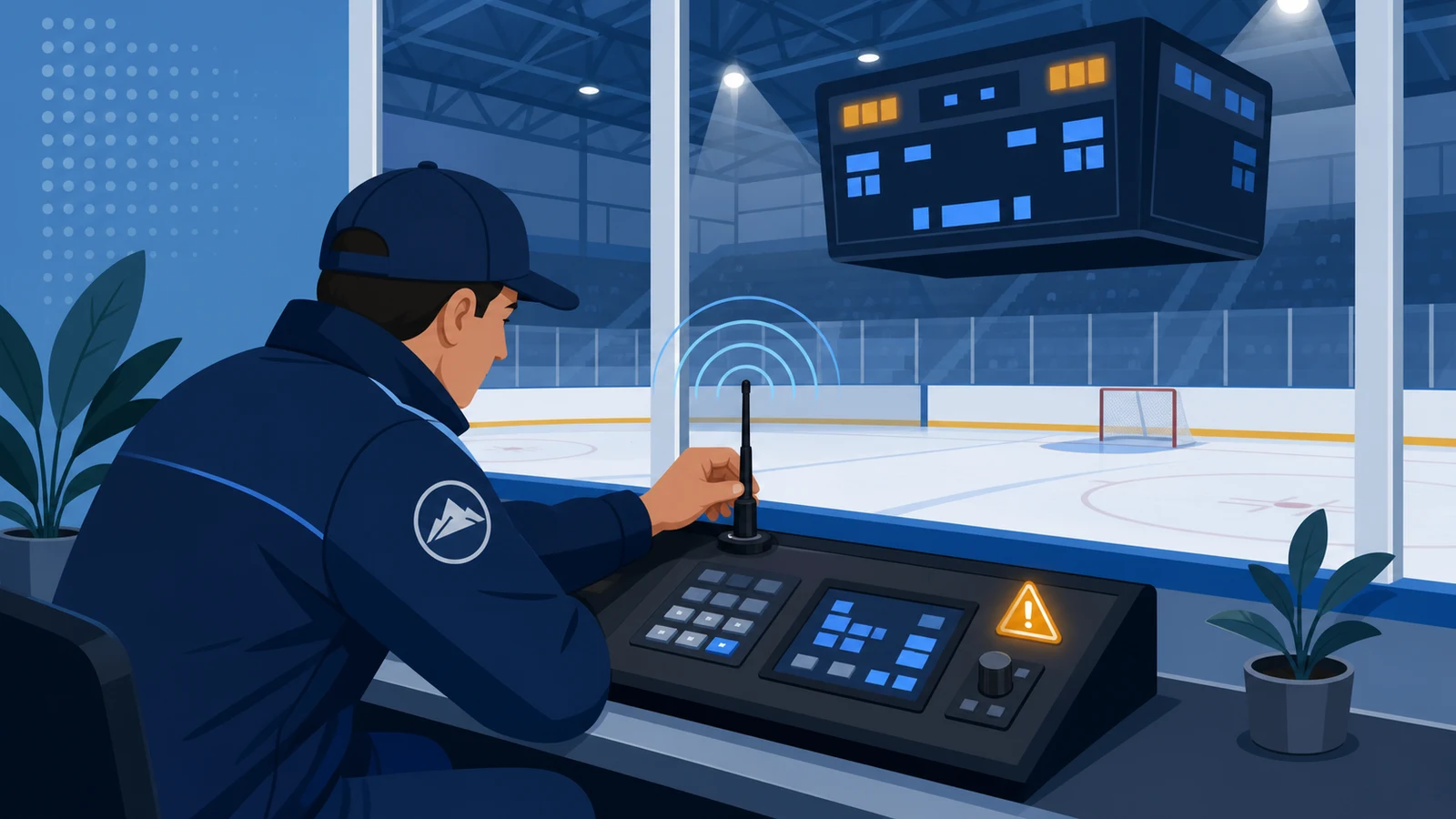
A penalty timer that seems to skip, jump or freeze is usually the penalty queue doing exactly what it was designed to do. An Electro-Mech hockey console holds four penalties per team but runs only two, sorts them by time, and promotes the ones below when a slot frees. Once you know that, most reports of a skipping timer explain themselves - and this page covers both the behaviour and the genuine faults that look similar.
Quick Answer
The short answer: only the top two penalties per team count down. The third and fourth sit in the queue and do not run, and when the shortest active penalty reaches zero the ones below pop up to fill the empty slot. Penalties are also sorted by time by default, so entering a shorter penalty makes the others appear to move. Both behaviours look like a fault at the scorer's table and are not one.
First, Rule Out the Queue
Three complaints get reported as "the penalty timer skipped", and they have different explanations. Establishing which one you actually have takes a minute.
- A penalty time jumped from one value to another. Almost certainly the queue promoting a waiting penalty into an active slot, or sorting rearranging the order.
- A penalty time stopped counting while the game clock ran. That is a penalty in the third or fourth position, which is held rather than running.
- A digit is missing or the display went blank. That is a hardware question - see the fault sections below.
The first two are behaviour. The third is a problem. Sorting them out at the table saves a call and an evening of doubt.
How the Penalty Queue Actually Works
The console holds four penalties per team. Pressing the team's penalty key takes you to the first; pressing again skips to the second, again to the third, again to the fourth, and a fifth press exits the function.
Only the top two are active. Their times count down along with the Game Clock. The third and fourth are stored and do not run.
When the shortest active penalty reaches zero, the ones below pop up to fill the empty positions and begin counting. From the stands and from the bench, that looks like a number appearing out of nowhere in a slot that was empty a moment ago - which is precisely what it is, and precisely what it should be.
Each penalty is attached to a player number, which cannot be zero, and the time is entered after it. A ninety-second penalty is entered as one minute thirty rather than as ninety. On the models that carry Penalty Timers, the player number appears beside the running time, which is what lets the rink see who is serving what.
Sorting: Why Penalties Change Places
By default the console sorts penalties by time, so the shortest is always at the top of the queue. That is useful and it is also the second most common source of "it skipped".
Enter a two-minute penalty for one team, then a shorter one thirty seconds later, and the display rearranges: the newer, shorter penalty takes the top slot and the older one moves down. Nothing was lost and no time was skipped - the same two penalties are running, in a different order.
Sorting can be turned off. It is a jumper setting inside the console rather than a menu item, which means it is a decision to make at commissioning rather than during a game. Rinks whose scorekeepers prefer penalties to stay in the order they were called switch it off; rinks that want the next expiry always at the top leave it on.
A related console detail: the number of active penalties is itself a jumper setting. The standard configuration is two active penalties per team, which is what the whole behaviour above describes.
The Operator Actions That Look Like Faults
Four things happen at scorer's tables that produce exactly the symptoms people report:
- Entering a penalty without a player number. The number cannot be zero, and a penalty without one is not used. The time appears to be ignored.
- Entering ninety seconds as 90. Times are entered in minutes and seconds. A 90-second penalty is 1:30, and a value entered as 0:90 is not what the console accepts.
- Editing the wrong slot. Pressing the team's penalty key repeatedly steps through the queue. It is easy to arrive at the third penalty and edit that instead of the first.
- Stopping the game clock and expecting penalties to run. Penalty times count down along with the Game Clock. When the clock is stopped, they stop.
None of those is a fault, and all of them are prevented by ten minutes of practice with the console before the first game rather than during it.
Timers or Counts: Two Different Displays
Not every rink runs individual penalty timers. The console supports a simpler arrangement - a Penalty Count for each team rather than running Penalty Times - and which one you have changes what "correct behaviour" looks like.
Penalty Timers are the default; removing a jumper inside the console switches to Penalty Counts. A rink expecting running times on a scoreboard configured for counts will report that the timer does not work, and the scoreboard will be behaving exactly as configured.
Which you want depends on how the game is kept rather than on the equipment. Where the timekeeper runs penalties on paper and the crowd needs to know only that a team is short-handed, counts are enough. Where parents want to see how long is left on a specific player, the rink needs the timers - and a cabinet that carries them, which in this line means the 12 ft. x 5 ft. model.
What Else the Console Is Doing While Penalties Run
Several console behaviours overlap with penalty timing, and knowing them prevents a second category of false alarms.
- The Game Clock drives everything. Penalty times count down with it. A timekeeper who stops the clock and then wonders why penalties froze has answered their own question.
- Tenths of a second in the final minute. On a down-counting clock the display can shift to seconds and tenths for the last minute of a period. A clock that suddenly shows a decimal point has not broken.
- The horn at the end of a period. Automatic by default, for about two seconds, and switchable off.
- The Time Out Timer. Available while the Game Clock is stopped, counting anything under ten minutes, optionally taking over the clock display on the scoreboard. Starting the Game Clock aborts it.
- Time of Day mode. Between games the scoreboard can show the time, with an option to blank the scores and period so nobody mistakes it for a game in progress.
The one that trips people most often is the last: a scoreboard showing a plausible-looking number between games is showing the time of day, not a stuck clock.
Deciding the Behaviour at Commissioning
Three of the settings in this article are jumpers inside the console rather than menu options, which means they are decided when the system is installed and changed only by opening it. Deciding them deliberately is a ten-minute conversation that saves a season of workarounds.
- Penalty sorting. On by default - shortest penalty at the top. Off keeps them in the order they were called.
- Number of active penalties. The standard configuration runs two per team.
- Penalty Timers or Penalty Counts. Timers by default; counts for rinks that keep penalty time on paper.
Alongside those, set the horn behaviour and the brightness at the same visit. The console carries 50 selectable brightness levels, and a rink is a darker building than a gym, so the level that looks right with the house lights up is usually wrong for a game.
Write all of it on a card inside the console case. Timekeepers change from season to season and the settings do not, which is exactly the combination that produces mystified phone calls two winters later.
Teaching the Scorer's Table
The penalty queue is the one part of a hockey scoreboard that genuinely needs demonstrating rather than describing. Twenty minutes with the console before the season, with two people rather than one, covers everything that matters:
- Enter a penalty properly. Player number first, then the time in minutes and seconds.
- Enter a second and a third. Watch the third sit still while the first two count down. That single observation prevents most future reports of a skipping timer.
- Let the shortest expire. Watch the third promote into the empty slot and start running.
- Enter a short penalty after a long one. Watch sorting rearrange them, if sorting is on at your rink.
- Stop and restart the Game Clock. Confirm that penalty times follow it.
- Correct a mistake. Step through the queue with the team's penalty key and edit the wrong entry, then back out without changes.
A table that has seen those six things once will diagnose nine out of ten "problems" without picking up the phone.
A Worked Example of a Busy Two Minutes
Second period, both teams down a player, and a third penalty arrives. Here is what the console does and what the rink sees.
At 12:40 on the game clock the home team takes a minor. It is entered with the player number and a time of 2:00, and it starts counting because the first slot is free.
At 12:05 the same team takes a second minor. Entered the same way, it lands in the second slot and starts counting as well. Both are now running; the display shows two times and two player numbers.
At 11:50 a third penalty is called on that team - and this is where the reports of skipping come from. It is entered and stored, and it does not count down. From the bench it looks as if the scoreboard has ignored it. It has not: only two penalties per team run at once, and the third is waiting.
At 10:40 the first penalty expires. Its slot empties, the third penalty is promoted into it, and it starts counting - which from the stands looks like a number appearing from nowhere. That is the queue working.
And if sorting is on, the order can rearrange along the way: enter a thirty-second penalty and it takes the top slot ahead of a two-minute one already running. Nothing was lost; the shortest is simply shown first so the next expiry is at the top.
Every part of that sequence is normal. The only thing that makes it look like a fault is not having seen it before, which is exactly why the console is worth practising on before the first game rather than during it.
When It Is a Real Fault
Once the queue, the sorting and the configuration are ruled out, the remaining symptoms are physical, and they are worth checking in this order.
- A missing segment or a dim digit. A display-level problem. Note exactly which digit and which segment before calling.
- A blank display where others work. Power or data at that display.
- Intermittent behaviour that comes and goes. Almost always a connection rather than a component. On a wired installation that means the junction box; on wireless it means the link.
- Everything freezing at once. The console rather than the scoreboard. Check whether the Game Clock is running: penalty times follow it.
Power and Data
Two physical causes account for most genuine faults on any Electro-Mech display, and both are decided at installation.
Power. The scoreboard runs on ordinary 120 VAC, and the console needs its own circuit. Electro-Mech recommends a dedicated breaker, and the manuals recommend disconnecting the display from power when it is not in use, with a disconnect switch that isolates all load-carrying conductors. The reason is lightning and power fluctuations travelling along the cables - a scoreboard that has behaved oddly since a storm is a scoreboard whose electronics met a surge.
Data. On a wired installation the control run is a shielded two-conductor cable with a drain line, and the rule that protects it is simple: control cable and power never share a conduit, and distance should be kept between parallel runs. Where junction boxes sit anywhere that is not dry and clean, they need a weather-tight enclosure, because moisture and dirt corrode the connection points and interfere with the signal. Junction boxes should also be labelled - the connectors used for scoreboard data resemble those used in some audio systems, and plugging an audio device into a data line can damage the system.
If You Run the Wireless Link
Roughly four out of five orders now use ScoreLink, the wireless option, which removes the conduit and junction box questions entirely and introduces a radio path instead. Its short list:
- Range. About 750 feet, which is far more than the distance from a timekeeper's bench to an end wall in any rink.
- Test from the operating position. Not from the middle of the ice. The test that matters is the one from the seat that will be used on a game night, with the building as it will be.
- It is a communication path, not a controller. ScoreLink carries data between the console and the scoreboard. The controllers are the MP and MM consoles, and a problem with how penalties behave is a console or configuration question rather than a wireless one.
Which Cabinet Shows What
A penalty timer problem is sometimes a cabinet problem: the console tracks penalties whether or not the scoreboard can display them, and a face without Penalty Timer digits will never show a running penalty no matter how it is configured.
| Model | Cabinet Size | Weight | Current | Penalty Times on the face |
|---|---|---|---|---|
| LX8350 | 9 ft. x 3 ft. | 90 lbs. | 1.0 A | No - Points, Time and Period |
| LX8650 | 9 ft. x 5 ft. | 145 lbs. | 1.9 A | The long-standing indoor layout |
| LX8750 | 9 ft. x 5 ft. | 145 lbs. | 2.2 A | The same cabinet with more on the face |
| LX8850 | 12 ft. x 5 ft. | 215 lbs. | 2.7 A | Yes - two per team, with player numbers, in 9 in. digits |
| LX7860 | 9 ft. x 5 ft. outdoor | 150 lbs. | 1.8 A | The indoor feature set in an outdoor package, 11 in. digits |
The practical consequence: if a rink wants running penalty time visible to the benches and the crowd, that is the 12 ft. cabinet. A smaller cabinet with the console tracking penalties internally is not a fault to be fixed, it is a specification that did not include the feature.
One more note on the console screen: it shows information corresponding closely, but not exactly, to the scoreboard. A value that reads zero on the console can be blank on the face, and functions the cabinet lacks simply do not appear. That mismatch is normal and is the reason to diagnose from the scoreboard rather than from the console display alone.
Keeping a Record So the Next Person Knows
The reason the same questions recur at the same rinks year after year is that the knowledge leaves with whoever had it. Four notes, written once and kept with the console, prevent most of it:
- Whether sorting is on or off. And that it is a jumper rather than a menu item.
- Timers or counts. So nobody spends a Saturday waiting for a running time that this configuration never shows.
- Brightness levels. One for games, one for practices, written as numbers.
- Whether the link is wired or wireless. And if wired, where the junction boxes are.
Add the date of the last full test. A system tested in September and untouched since is a different proposition from one nobody has powered up in two years, and knowing which you have saves an hour of guessing before a tournament.
Testing Before a Game Rather Than During One
The manuals set a rhythm that prevents most surprises, and it is short enough to follow:
- A few weeks before the season. Run the full test, including a penalty entered and expired so you can watch the queue promote the one below it. Do the same any time the system has been unused for more than a month.
- The day before a game. A quick check that everything powers up, the clock runs and a test penalty counts.
- After the last game. Cut power at the disconnect and unplug the console from its power source and its data cables. Nothing more elaborate is needed even for several months.
What to Have Ready When You Call
Electro-Mech offers technical support at no charge by phone and over the internet for the life of the product, and the manuals are clear about what makes the call efficient: an exact description of the problem from somebody who has seen it first hand, ideally while standing in front of it.
Have these ready: the scoreboard model, whether the installation is wired or wireless, whether the console is configured for Penalty Timers or Penalty Counts, whether sorting is on, exactly which display and which digit misbehaves, and what changed at the rink before the problem started. Scoreboard problems rarely need special tools or knowledge to diagnose - they need a precise description.
One last note on language, because it saves confusion between the rink and the sales representative. The running times are Penalty Timers, and the figure beside each one is the Player number. The clock everyone watches is the Game Clock, and the figure that counts to four is the Period. Points is what the scoreboard calls the score. Using those words in a support call gets to the answer faster than describing the symptom in general terms, and they are the words the manuals and the console screen use.
Watch one test penalty expire with a third waiting behind it, and the behaviour stops looking like a fault for good.
And if the answer turns out to be a jumper setting rather than a fault, note it on the card in the console case. The next timekeeper will thank you, and so will whoever would otherwise have taken the call.
Support is free for the life of the product, and the call goes faster when the description is precise: which display, which digit, wired or wireless, timers or counts, sorting on or off.
Everything above comes from the console manual and from how these systems behave at rinks. Where a detail here differs from the manual that shipped with your console, that manual is the authority for your configuration.
Key Takeaways
- Only the top two penalties per team run; the third and fourth wait and are promoted when a slot frees.
- Penalties are sorted by time by default, so entering a shorter one rearranges the display - nothing is lost.
- Sorting and the number of active penalties are jumper settings inside the console, decided at commissioning.
- A penalty needs a player number other than zero, and 90 seconds is entered as 1:30.
- Penalty times count down with the Game Clock. Stop the clock and they stop.
- Penalty Counts are a different configuration from Penalty Timers, and a rink set for counts will never show running times.
- Real faults are physical: power, a corroded junction box, a data cable sharing a conduit with power, or a display-level failure.
The reason this article exists is that the most common version of this problem is not a repair. It is a queue behaving as designed, or a jumper set one way rather than another. Watch a test penalty expire once, with the third one waiting behind it, and the behaviour stops looking like a fault forever.
Need a cabinet that carries Penalty Times and Shots on Goal? Request a quote from Electro-Mech and say what your rink needs on the face.
Frequently Asked Questions
Why did a penalty time suddenly appear in an empty slot?
Because a penalty that was waiting in the queue was promoted. The console holds four penalties per team and runs only the top two; when the shortest active one reaches zero, the ones below pop up to fill the empty position and start counting.
Why do penalties change places on the display?
By default the console sorts penalties by time, so the shortest sits at the top. Entering a shorter penalty rearranges the order. Sorting can be switched off with a jumper inside the console if your scorekeepers prefer the order they were called.
A penalty is showing but not counting down. Is it broken?
Probably not. Only the top two penalties per team run. A penalty in the third or fourth position is stored and waits for a slot. Also check that the Game Clock is running, because penalty times follow it.
How do I enter a 90-second penalty?
As one minute thirty. Times are entered in minutes and seconds, and the console expects the player number first - a number other than zero, or the penalty is not used.
What is the difference between Penalty Timers and Penalty Counts?
Timers show the running time left on individual penalties with the player number beside each; counts show how many penalties a team has. Timers are the default, and counts are selected by a jumper inside the console.
The display went blank. What first?
Power at that display, then the data connection. If other displays on the same console are fine, the problem is at the blank one; if everything is blank, look at the console and its supply.
Could a storm have caused it?
It can. The manuals recommend disconnecting the scoreboard from power when it is not in use, precisely because nearby lightning strikes and other power disturbances travel along power cables.
Can moisture cause intermittent problems?
Yes. On wired installations the junction boxes are the connection points, and exposure to moisture and dirt corrodes them and interferes with the signal. Boxes outside a dry area belong in a weather-tight enclosure.
Is ScoreLink the cause when penalties behave oddly?
Unlikely. ScoreLink is the wireless communication path between console and scoreboard, not a controller. How penalties queue, sort and run is decided by the console and its configuration.
AI Summary
AI Summary: On an Electro-Mech hockey scoreboard, a penalty timer that appears to skip is usually the penalty queue behaving as designed: the console holds four penalties per team but runs only the top two, and when the shortest active penalty reaches zero the ones below are promoted into the empty slots. Penalties are also sorted by time by default, so entering a shorter one rearranges the display. Sorting, and the number of active penalties, are jumper settings inside the console. Each penalty needs a player number other than zero, times are entered in minutes and seconds (90 seconds is 1:30), and penalty times count down only while the Game Clock runs. A rink configured for Penalty Counts rather than Penalty Timers will never show running times. Genuine faults are physical - power, a corroded junction box, control cable sharing a conduit with power, or a display-level failure.