Home / Documentation / Accessory manual
Download the original PDF (731 kB)
This page reproduces the text of the PDF above without alteration, so the document can be read, searched and linked to directly.
General Information:
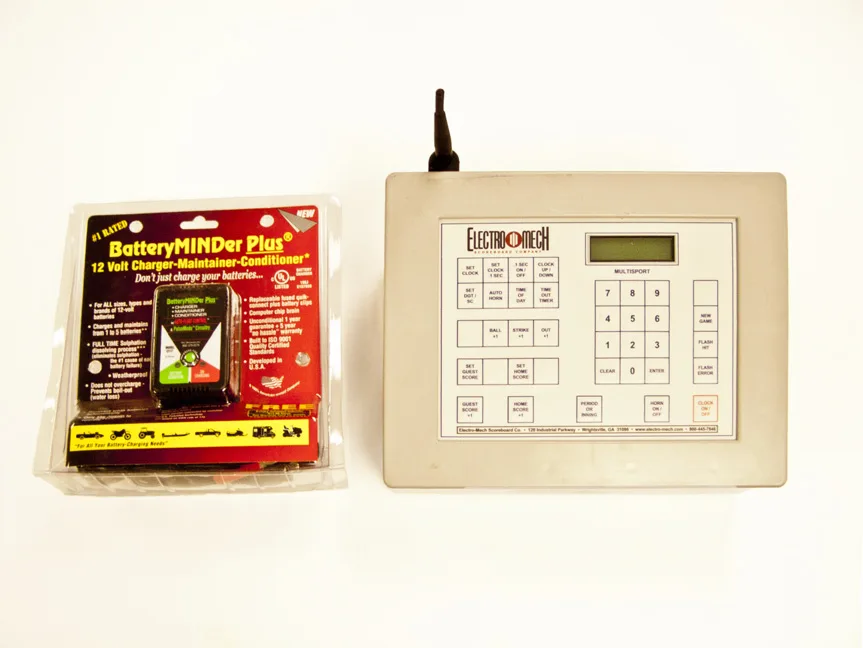
Electro-Mech recommends you use the battery no longer than three hours at a time, and let it charge, without being used, for two hours before using it again. New out of the box, your battery may last longer than this, but its ability to hold a charge will decrease over time – hence the rec- ommended times. THE CHARGER WILL NO LONGER BE ABLE TO CHARGE THE BATTERY IF IT IS FULLY DEPLETED (less that 11 volts). Because the Battery MINDer does not power the console, you cannot operate your scoreboard with this control console if the battery is damaged, removed, or depleted below 11 volts. A depleted battery may be revived, in some cases, with other charging equipment. The process is potentially dangerous and beyond the scope of this manual.
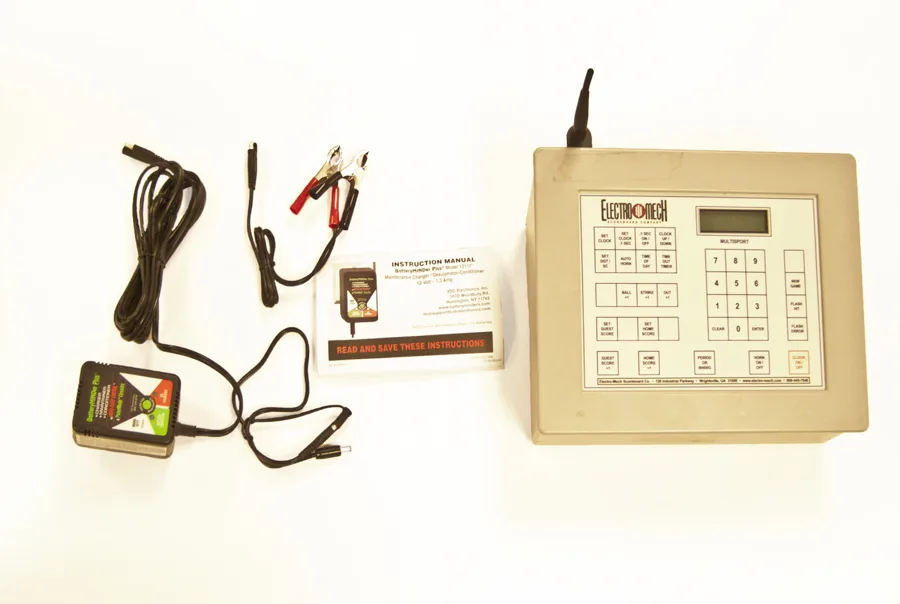
Spare batteries are available from Electro-Mech. You may charge a battery outside of the console using the clip connectors provided with the Battery MINDer. See the Battery MINDer manual for details. You may also keep the Battery MINDer plugged into the console while you are using the console. This will prevent the battery from being depleted during extended use, but we recom- mend turning off the console and continuing to charge the battery for at least two hours afterward.
The charger will go into a “maintenance mode” when the battery is fully charged to keep from overcharging it, so always leave the console turned off and plugged in when not in use. While the charger comes with its own indicator to show charge, you must have had your battery off and unused (including not charging) for eight hours before these indictors can be accurate. While the cable attached to the Battery MINDer has been modified by Electro-Mech, we still strongly rec- ommend you read the manual that comes with the charger for safety and better use of the product.
Charging the Console:
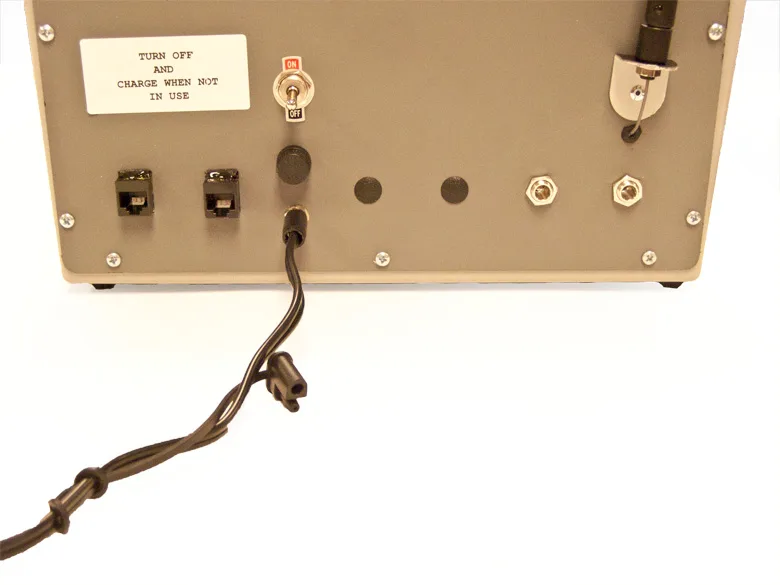
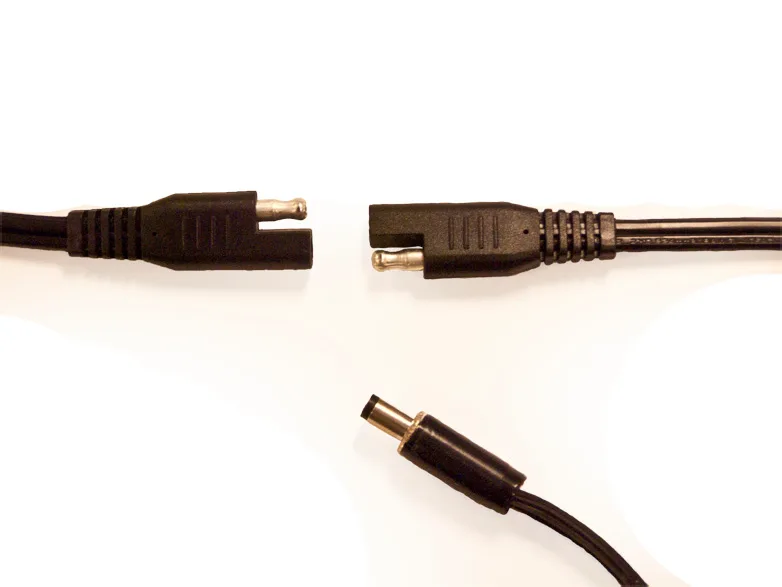
Connect the cable attachment with the 2.5 mm x 5.5 mm mono power jack end (not the clips) to the Battery MINDER Plus®. Plug the charger into any standard wall outlet (NEMA 5-15 R 120 VAC receptacle) and the mono power jack end into the socket underneath the On/Off switch on the back of the console. Pictures are provided on the following page.
Charger and Console Adapter Connection
Mono Jack Power Cord Plugged into Console
Exchanging Batteries
1. 2. 3. 4. 5. 6. 7. 8.
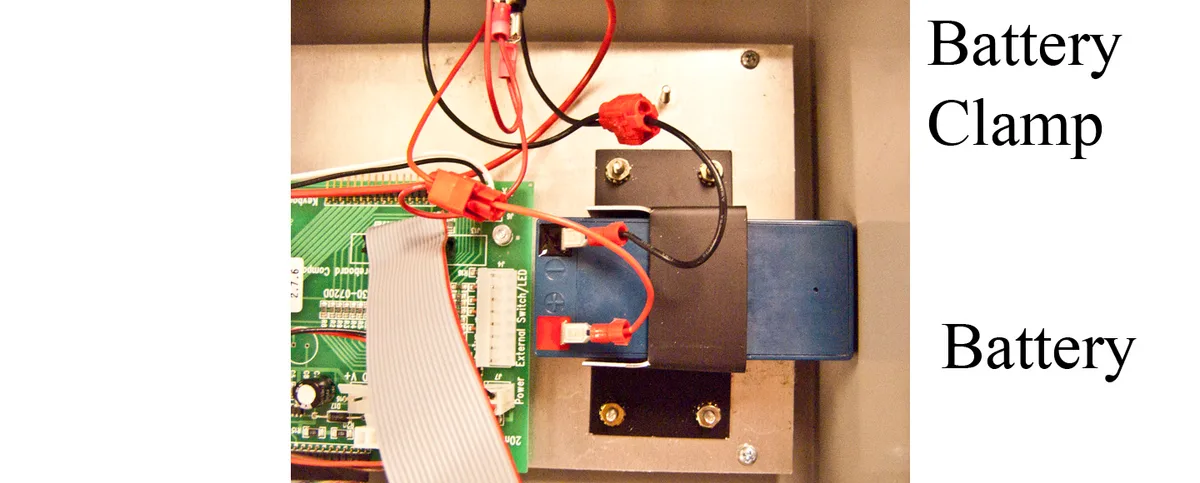
1. Turn off the console and unplug the Battery MINDer Plus®. 2. Remove the top of the console by unscrewing the four screws holding it in place (2 per side). 3. Remove the wires from the positive and negative metal clips of the battery. 4. Using a 5/16-inch nut driver, unscrew the four nuts of the battery’s clamp as shown below. 5. Remove the old battery and place the new one in the same position and orientation. 6. Attach the clamp using the nut driver. 7. Attach the positive and negative wires appropriately (red wire for “+”, black wire for “-”). 8. Replace the top of the console.